interlocking NC logo
INLS161-001 fall 2026
Home Syllabus Schedule Canvas Previous week Monday, 02 Nov 2026 Wednesday, 04 Nov 2026 Friday, 06 Nov 2026 Next week

Tools for Information Literacy | Week ⑫ 
Filter number, text, and formatting values

Do a multi-level filter

Why we do this What we are to do
to demonstrate facility with a number filter,
after having used an exclusion filter to show only one subset of data
Use a multilevel filter on the 12-Multilevel Filter 02 worksheet
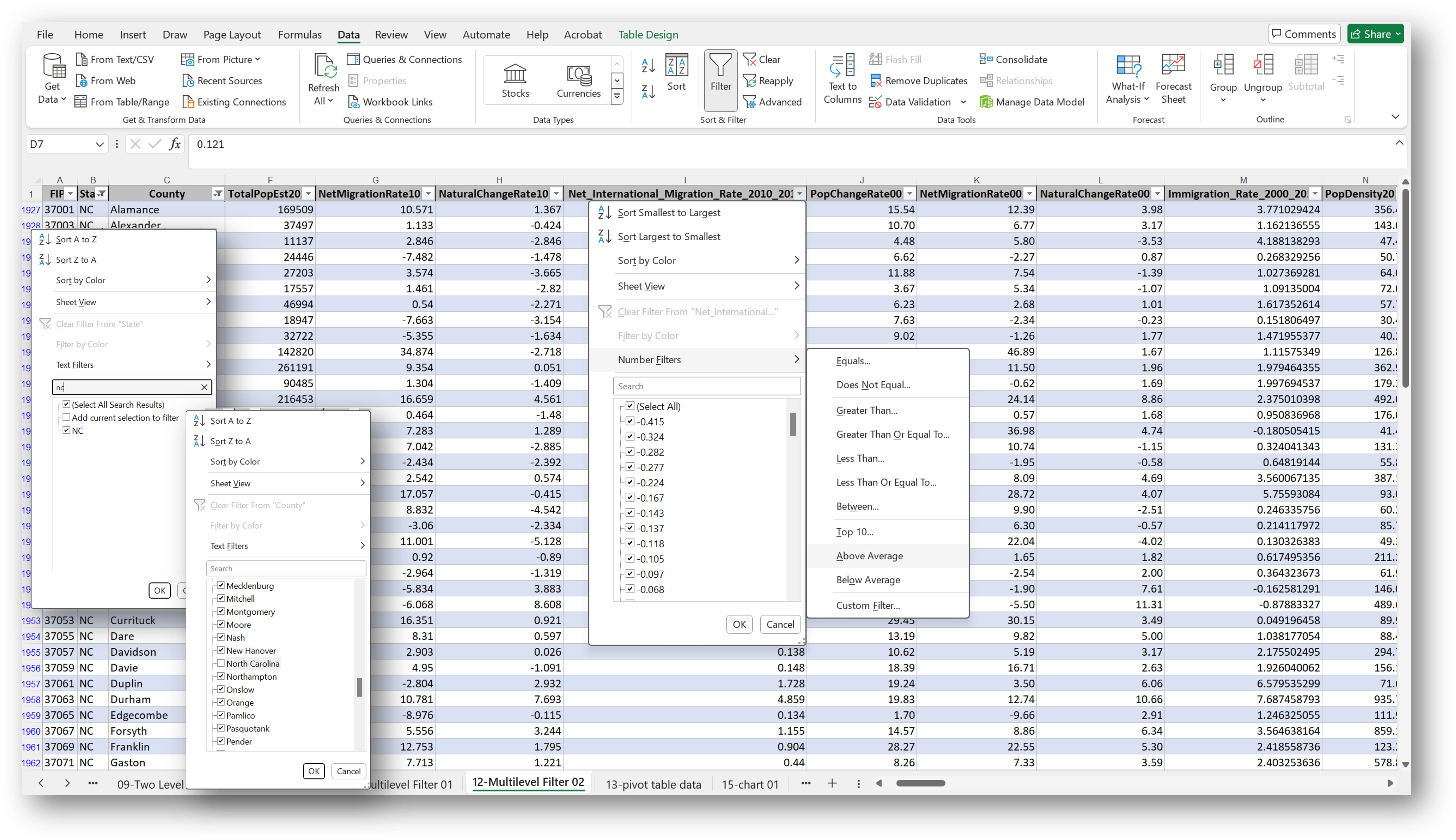
to find out which of counties in the State of North Carolina (filter out "North Carolina" column C as well) had an above average Net_International_Migration_Rate_2010_2019
  1. The first step above is a simple select filter, in which one selects the value one desires from a list of possibilities.
  2. The second step is to exclude "North Carolina" from the column labeled "county". The table should not have included a state sub-total in the field named "county", so we need to exclude it from the values to be filtered in step three.
  3. Having filtered out the state name, we use a second filter on a second column. This will be a number filter, in which one uses the above average ... function in the dialog box.
number filter in two columns

Filter not by values, but by formatting

Why we do this What we are to do
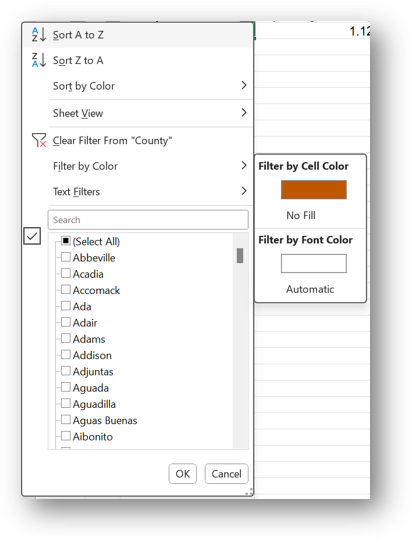
to demonstrate facility with a fill format filter Filter the data by color on the 01-US Census Data worksheet to find the cell you formatted in orange earlier
filter by cell formatting - color fill