| Why we do this | What we are to do |
|---|---|
| to create a new workbook from existing worksheets |
Download this workbook from Canvas and use it for this week's spreadsheet tasks.
Then save the downloaded worksbook to a location on your laptop where you will save your task04 work and name the saved/stored workbook with a standard (i.e., lastname_firstname_YYYYMMDD_task04b.xlsx) file name |
Sorting data is an integral part of data analysis. ... Sorting data helps you quickly visualize and understand your data better, organize and find the data that you want, and ultimately make more effective decisions.
Still using your downloaded workbook ... do a single level sort
| Why we do this | What we are to do |
|---|---|
| to sort by one value in the data set |
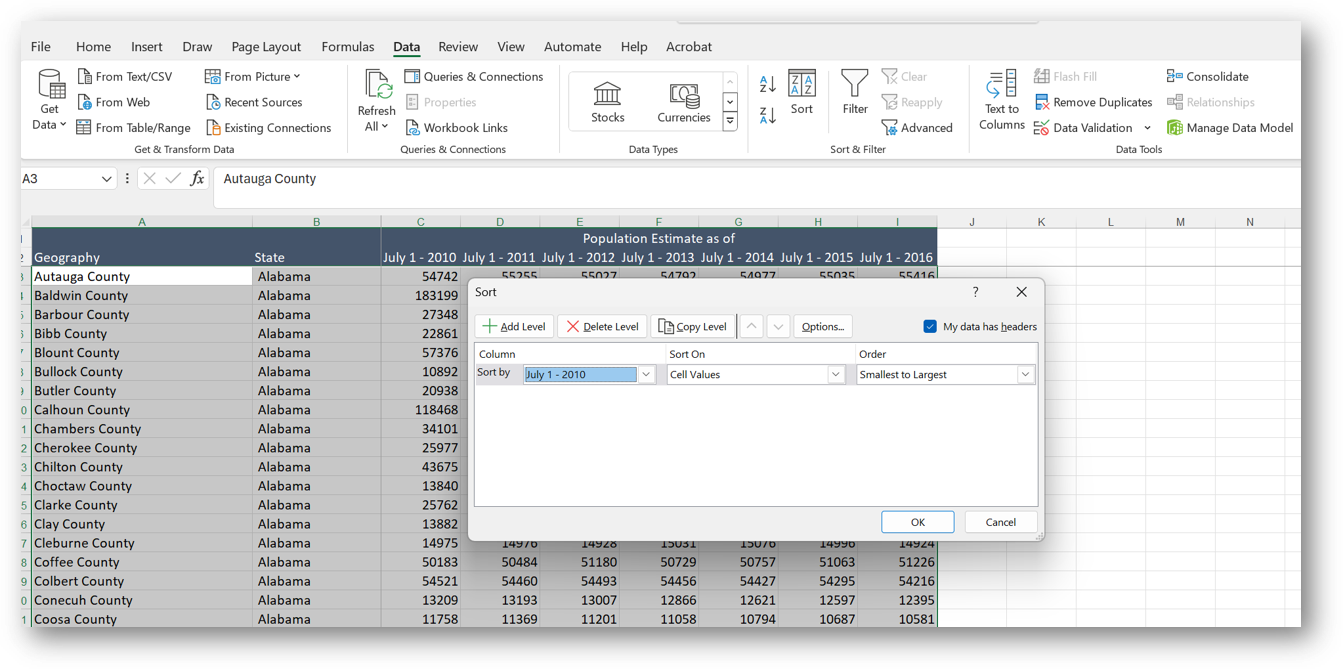
Sort only the data rows on the 08-Single Level Sort worksheet
by Population Estimate as of July 1 - 2010. Have the sort display from smallest to the largest. |
| Do not sort the values in one column; be sure to sort all the rows by the values in one columns |
| Why we do this | What we are to do |
|---|---|
|
to sort first by one value in the data set
then to sort any duplicate values in the first sort by a second value |
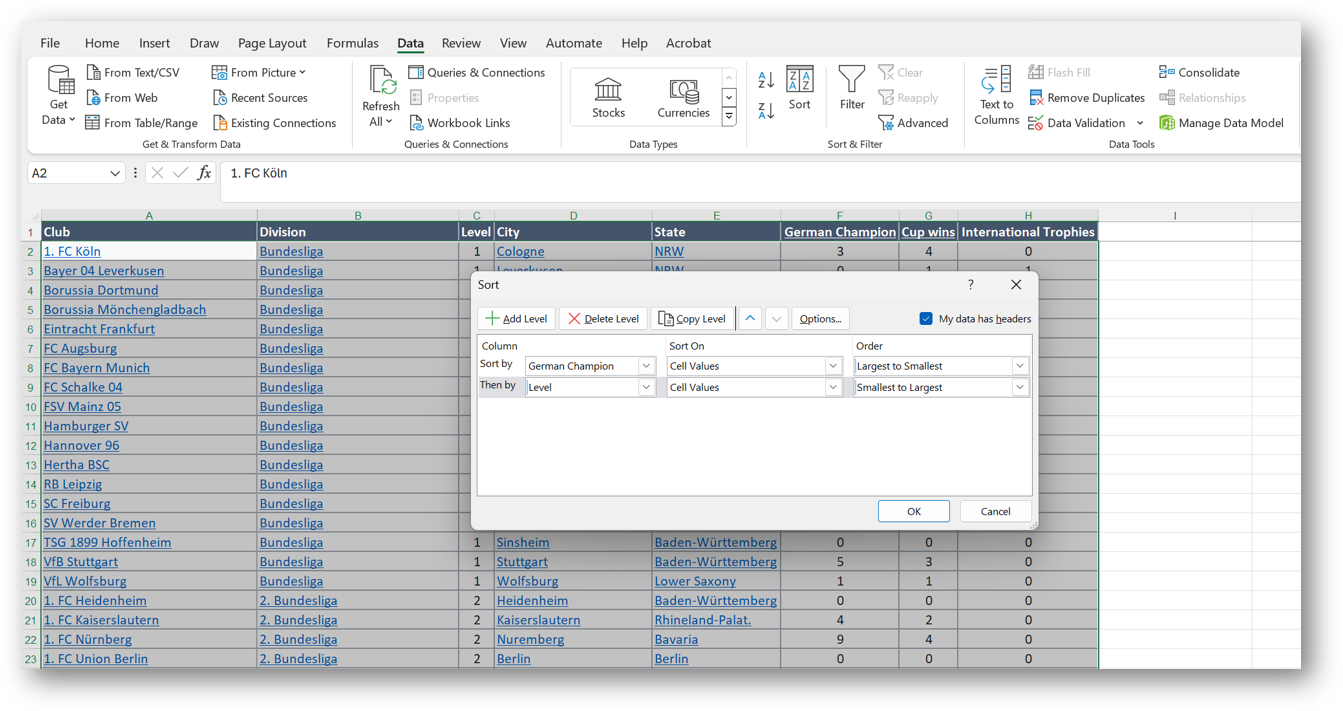
Sort only the data rows on the 09-Two Level Sort worksheet
first by German Champion, from largest to smallest, and then by Level from smallest to largest. |
| There is something we can learn from the sort. | It will sort all the rows by the number of German championships won; then, when it finds a duplicate number of championships, it will sort the duplicates by the level value. |