Tools for Information Literacy ⑭ Relational databases
Entities are the foundational units
Entity Classes
Healthy, well-constructed entity classes are the foundations of an effective relational database. An entity class is the definition of the worksheets/tables that will store data, so they're essential building blocks of any database
A database should have a separate entity class/worksheet/table for every major component of the database
Data should not be unnecessarily duplicated in multiple entity classes/worksheets/tables
Duplicating data is a common error,
but it's easy to avoid if you structure your entity classes well
An entity class is essentially an object wrapper for a database table. The attributes of an entity are transformed to columns on the database table.
Creating Entity Classes
When creating databases, sketch out the different entity classes/tables you will need and the data contained in the entity classes/tables before you begin
Focus in the image below on the attibutes (descriptors) contained in the tables (a table is an entity class, like "Employees").
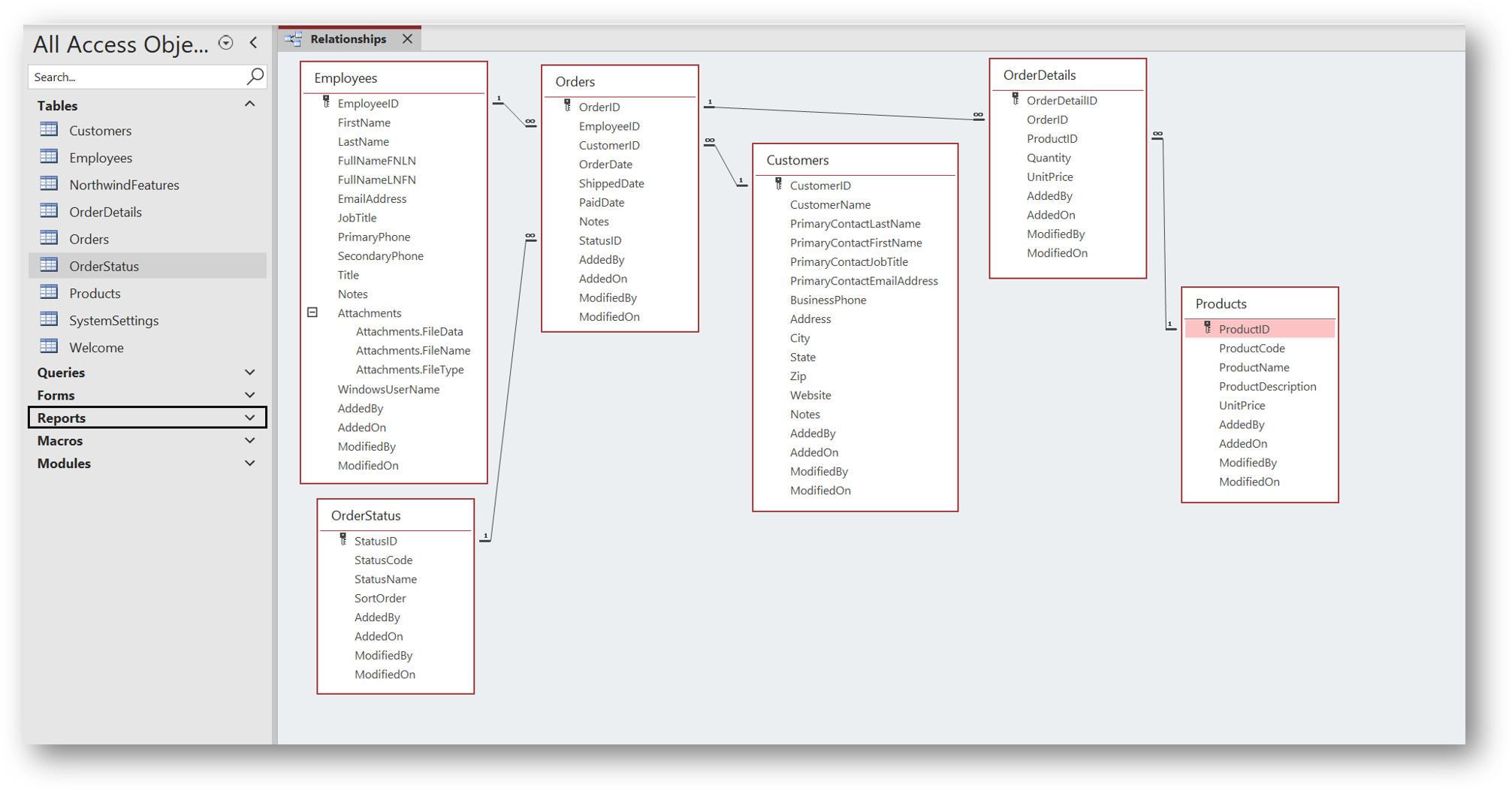
Each entity set is a single table, analogous to an Excel worksheet,
which contains entities and attributes which are analogous to
rows and columns in an Excel worksheet.
Terminology Comparison
| type | ⇒⇒⇒⇒⇒⇒ | ⇓⇓⇓⇓⇓⇓ |
| ERModel entity set | composed of entities | which have attributes |
| Excel worksheets | composed of rows | which have column header cells |
Setting Primary Keys
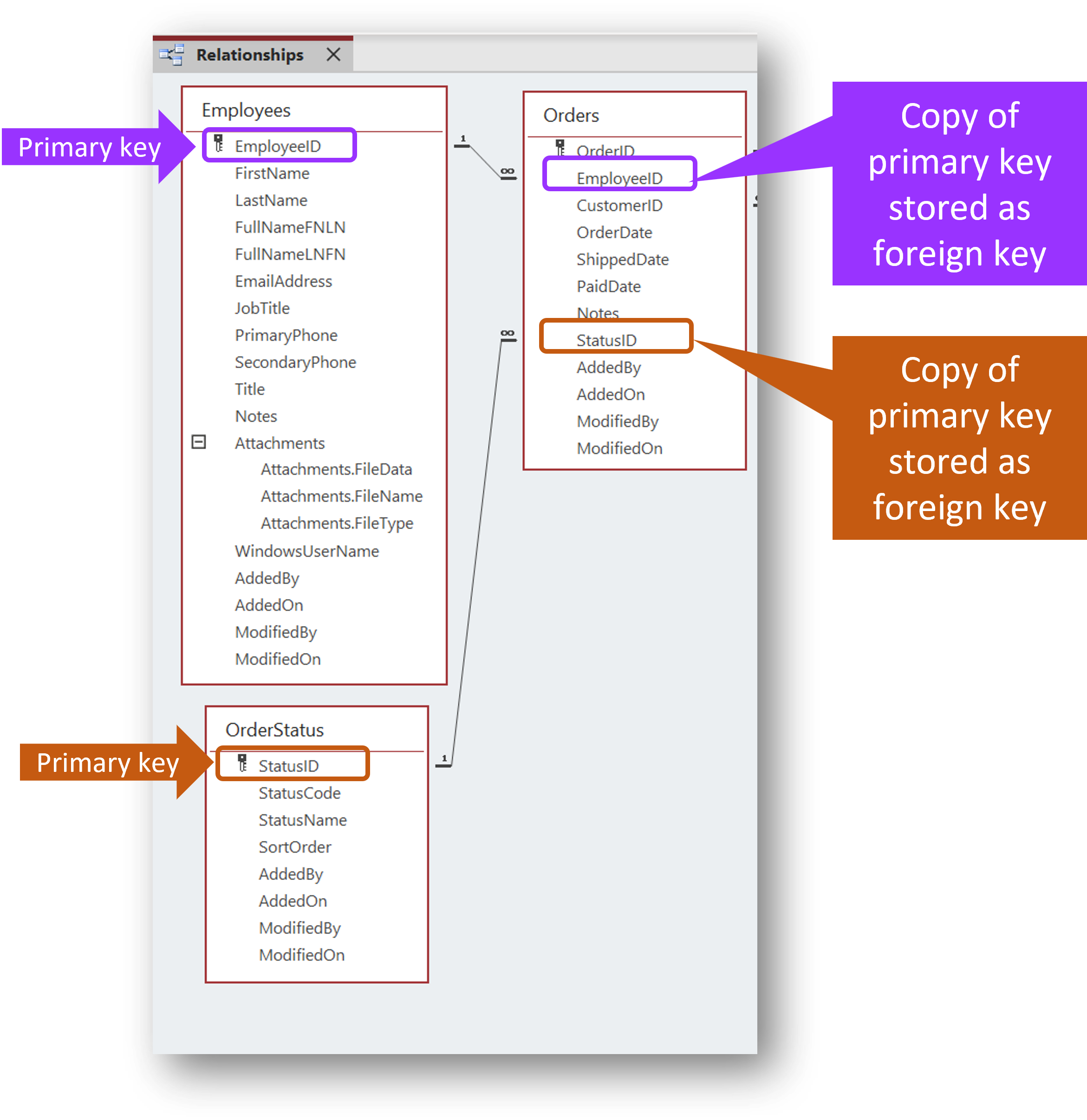
To distinguish one entity from another, entity sets contain a primary key attribute
the primary key is an identifier - such as a part number, a product code, or an employee ID - that is unique to each record
The primary key should be a piece of information that won't change frequently
these keys link together the related entities/rows in a relational database/entity set
a foreign key is a connector - it is a copy of a primary key for one entity in one entity set - that is placed as an attribute in a different entity in a different entity set to relate the two entities, in two different entity sets, together