Tools for Information Literacy ⑫ Data control
Filter number, text, and formatting values
Do a multi-level filter
| Why we do this | What we are to do |
|---|---|
|
to demonstrate facility with a number filter,
after having used an exclusion filter to show only one subset of data |
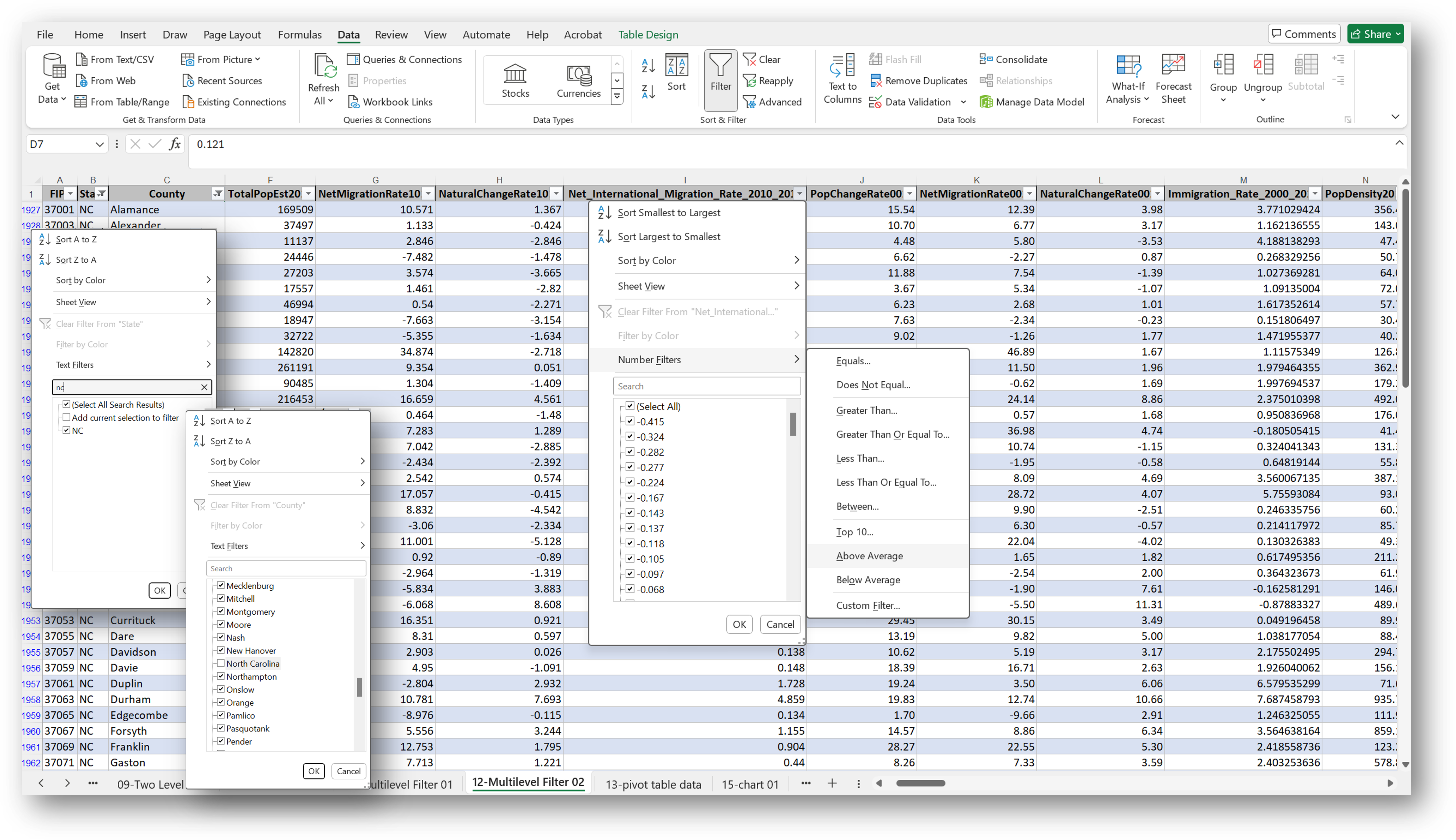
Use a multilevel filter on the 12-Multilevel Filter 02 worksheet
to find out which of counties in the State of North Carolina (filter out "North Carolina" column C as well) had an above average Net_International_Migration_Rate_2010_2019 |
The first step above is a simple select filter, in which one selects the value one desires from a list of possibilities.
Having filtered that column, we use a second filter on a second column. This will be a number filter, in which one uses the above average ... function in the dialog box.
Filter not by values, but by formatting
| Why we do this | What we are to do |
|---|---|
| to demonstrate facility with a fill format filter |
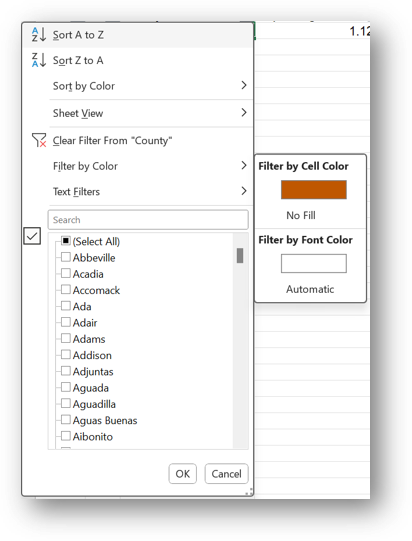
Filter the data by color on the 01-US Census Data worksheet
to find the cell you formatted in orange earlier
|