Tools for Information Literacy ⑤ The presentational layer
Planning
You know the structure and how it should be presented, now put it together
After you finish task 02b, start to think about your fuller site.
Keep the users in mind as you design your site.
Ensure that the users are never confused about where they are in your site structure.
Ensure that your design speaks for you.
Keep the users in mind as you design your site.
Ensure that the users are never confused about where they are in your site structure.
Ensure that your design speaks for you.
As you begin to design your website think about designing it in terms of the user(s) of the site
Take a few minutes and decide on a "theme" for the page(s) you are creating.
Decide the structure of the site and what images you will need.
You want to consider that the development cycle for web sites has four stages:
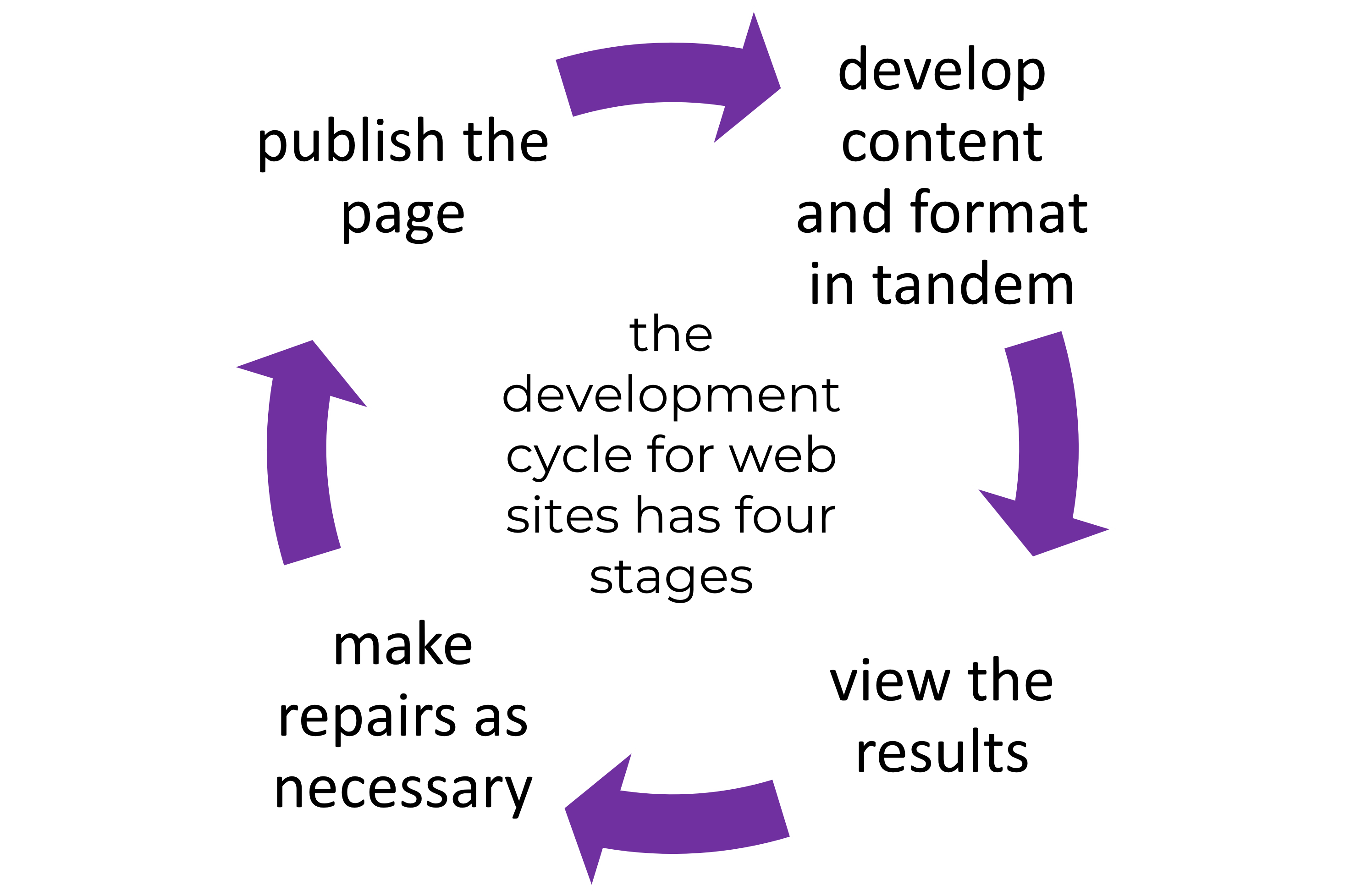
- The first stage is to develop content and format in tandem
- The second stage is to view the results
- Third, to make repairs as necessary. At this time you will either return to the first step to add content, or go to the fourth step
- Fourth, publish the page
Determine the structure of the site by sketching the navigation structure
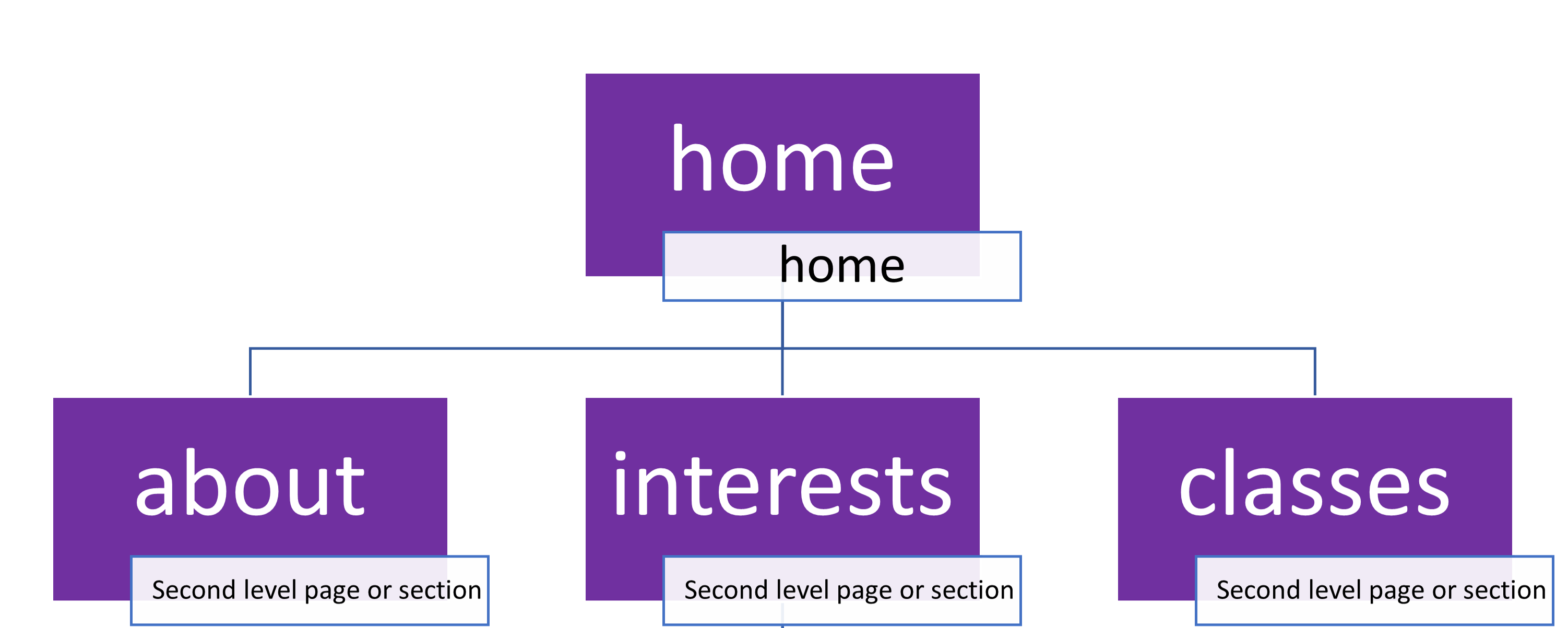
What is the top level page?
This is home page, the page that will open when a user types in the URL of your web site's directory

Are there any second level pages?
If so, they are children of the home page
Are there any third level pages?
If so, each third level page is a child of the second level page it is subordinate to
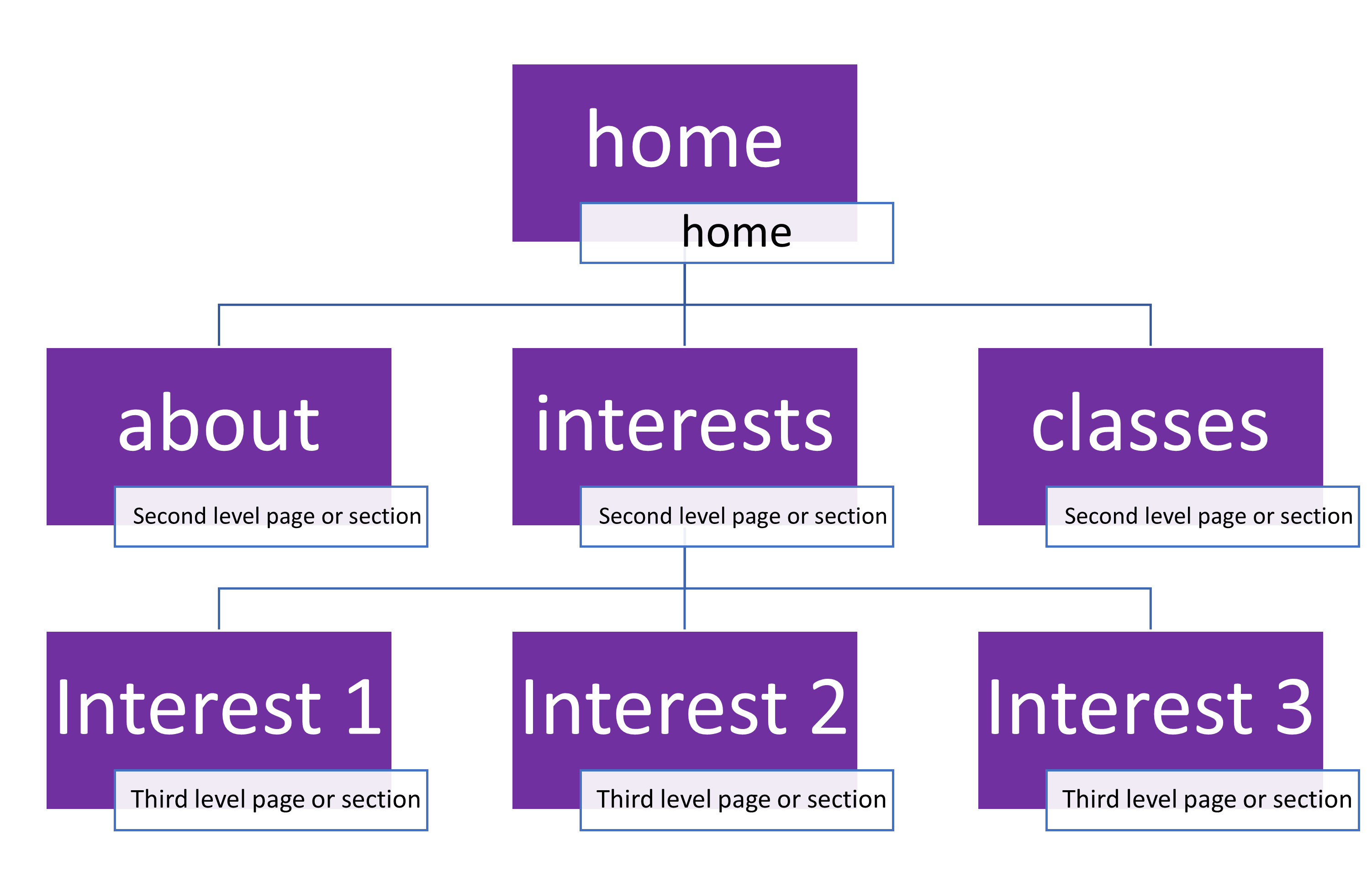
- one might stretch the metaphor by thinking of the home page as the parent, the second level pages as children, the third level pages as grandchildren
- of course, this means a page might have a parent, some siblings, perhaps some children, even some aunts and uncles, and cousins
A sketch will help you keep the relationships clear
Determine the content and navigation for each page
What kinds of text, images, or other objects are relevant to the topic of a particular page? Remember, some things add code weight to a page and are thus more slowly loading, but sometimes the object is critical to the message and the load will have to be borne
Within the structure of your web site, plan
to have every page link directly to the home page,
to its parent page,
to its children,
and to its siblings.
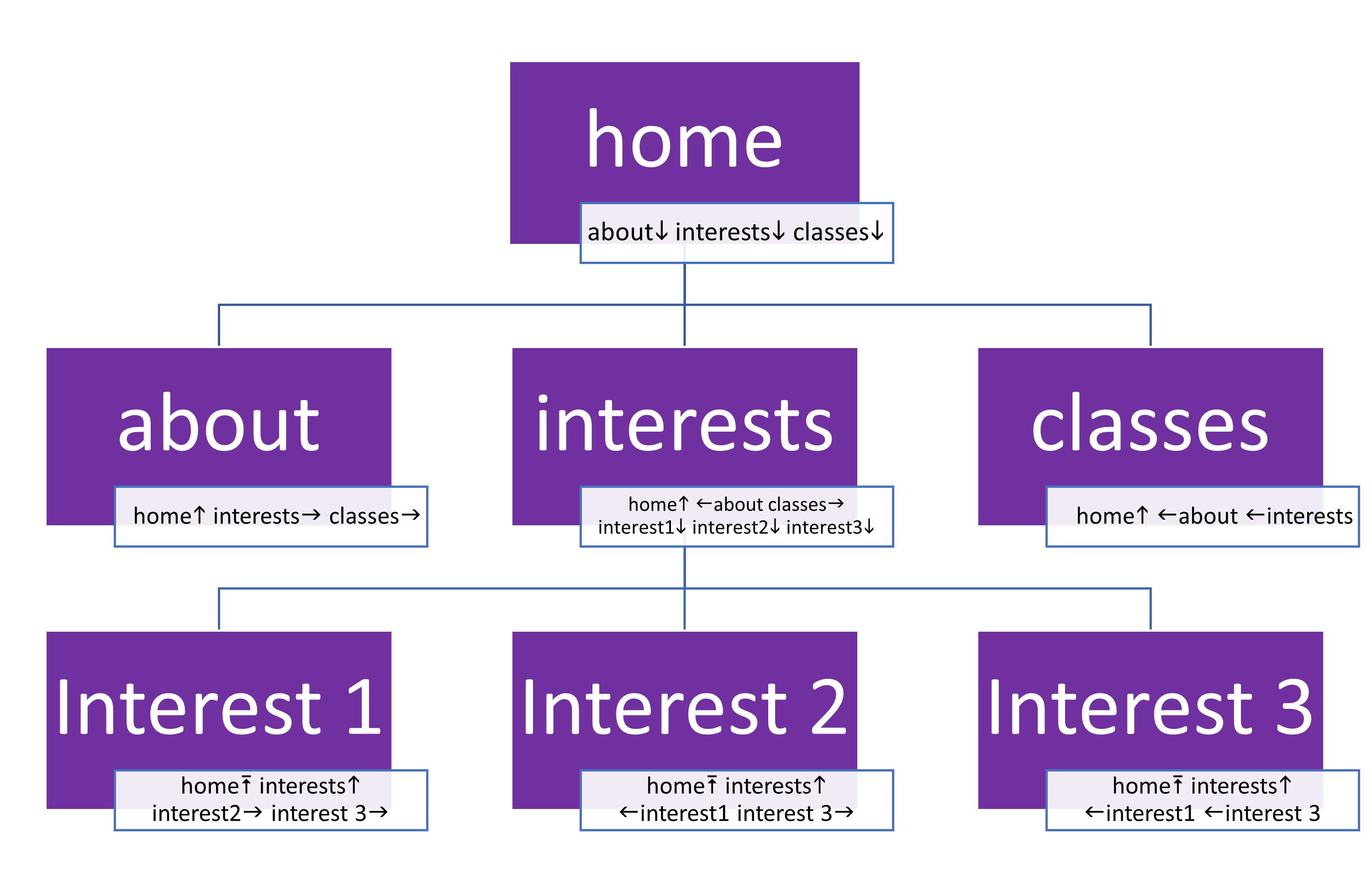
Ponder designing a way to place the navigation tools so that they are visually similar
and in the same relative position on each page