Tools for Information Literacy ⑤ The presentational layer
Cascading Style Sheets
CSS - the presentational layer
"Presentational" means the rules that define the visual aspects of how a web document is displayed on a computer monitor.
Cascading Style Sheets (CSS) is a W3C standard for defining the presentation of web documents
We will define "presentation" as meaning the visual aspects of how a web document is displayed on a computer monitor. If you create a web page, it will display as you instructed it to display, even if you inadvertently instructed it to display as someone else instructed it.
To be a bit more clear,
- each HTML tag has to display in some fashion
- and a browser looks for instructions telling it how to display the tag
- If it finds none, it will display the element according to the browser's own display rules
Examples of CSS in action
This is a demonstration of how different stylesheets can change the layout of your HTML page.
The css Zen Garden is about functional, practical CSS and not the latest bleeding-edge tricks viewable by 2% of the browsing public. The only real requirement we have is that your CSS validates.
The CSS Trappist Monastery is a spiritual brother to the css Zen Garden. We seek to provide a quiet place to ponder and explore the virtues and mysteries of cascading style sheets. The official name of our order is the Cascadian Order of the Strict Conformance.
Toggle back and forth to see the difference.
Let's look at this page in terms of its CSS elements and rules
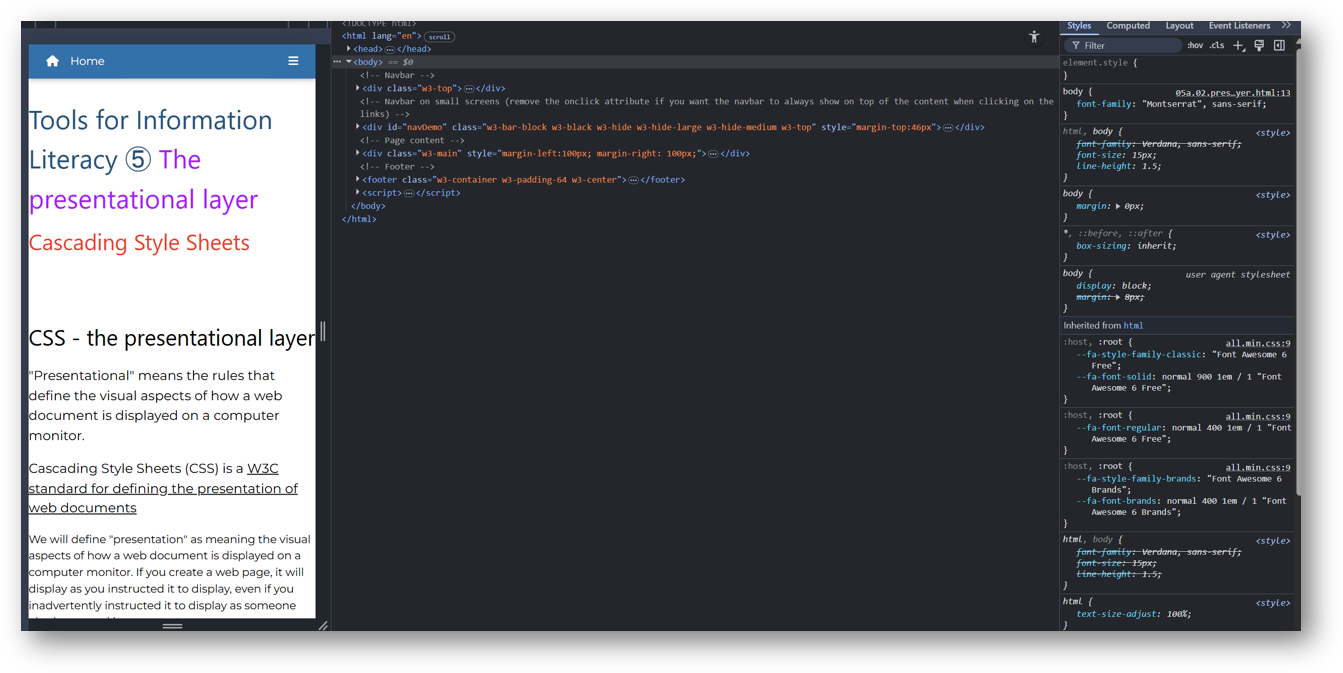
You can see how the left sidebar container contains a <div> element, with specific CSS instructions telling it how to display.
Benefits of CSS
Greater typography and page layout controls
Greater control over how your type displays; you can be explicit in your definitions
Less work
One edit, multiple simultaneous corrections; really useful in a large site
Potentially smaller documents
You need only create a link to a single list of rules, rather than recreate the rules in each page you create.
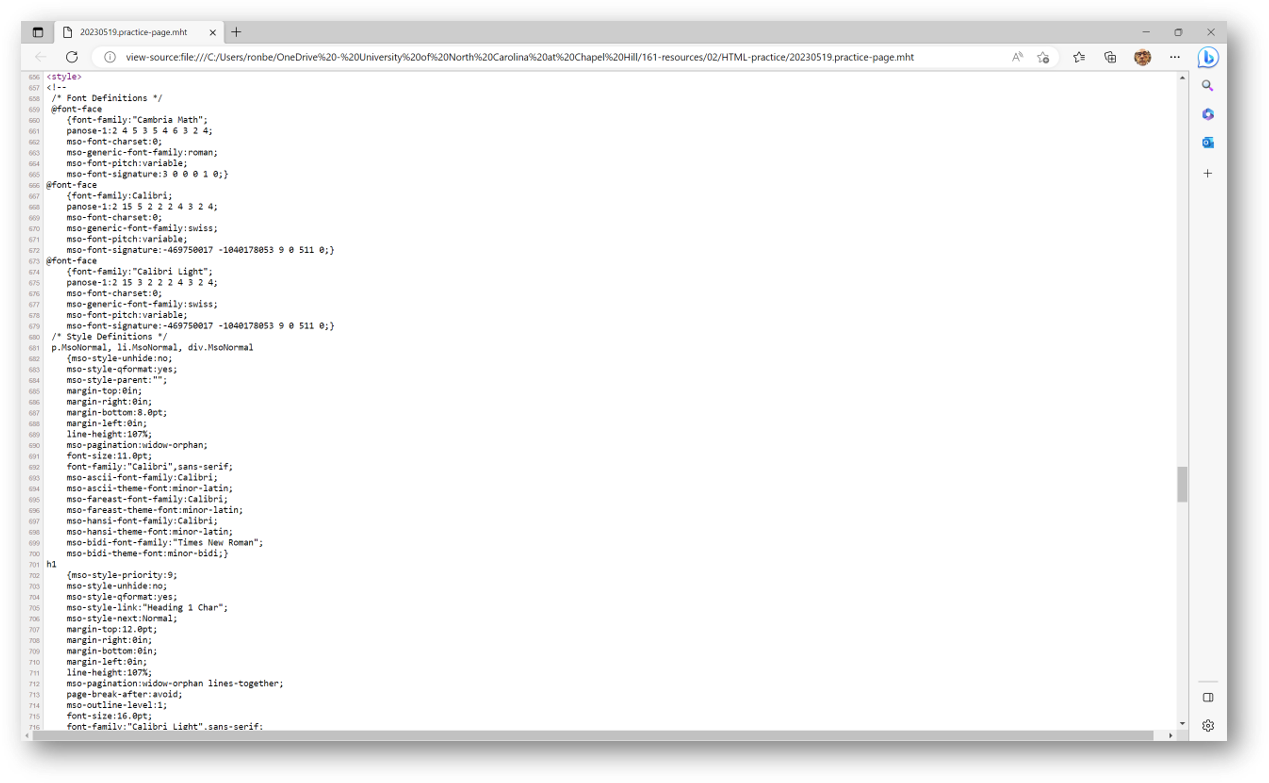
Let's go back and look at our MSWord-created page for a comparison. It has all the display rules for all the possible tags embedded in the page file. These are the first 656 lines of code in the head, and there are 384 additional lines of code in the HEAD of this page.
Potentially more accessible documents
Though it is easier to control the placing of objects on a web page using visual tools such as tables, such tables are not always useful for all users.
CSS guidelines allow you to build pages that are accessible by a far wider span of potential users.
Presentational HTML is on its way out
Mixing the rules about what an object means and how it should look on a single page is a thing of the past.
Even though current browsers still support such activities, eventually they will drop this ability and all pages will need to conform to the CSS standard
You will follow CSS rules for your task 02, so it would be a good idea to get used to them now
CSS is well-supported
The CSS3 specification is the latest complete standard for Cascading Style Sheets. CSS3 is completely backwards-compatible with earlier versions of CSS.