|
1
|
|
|
2
|
|
|
3
|
- Well-structured data
- Text Documents
- Other media
- Images, audio, video, statistics, code
- Multimedia/mixed media
- Answers
|
|
4
|
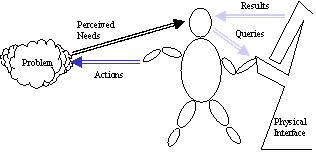
- Words
- Author’s words
- Indexer’s words (metadata from a controlled vocabulary)
- Actions
- Human (e.g., publisher metadata, signatures)
- System (e.g., date, watermarks)
- Links (citations)
- Human (citations, links)
- System (computed from events or relationships, recommenders)
|
|
5
|
|
|
6
|
|
|
7
|
|
|
8
|
- 1. Text retrieval is more complex than data retrieval from DBMS.
- 2. Distinguish searching for word matches from concept matches.
- 3. Distinguish subject from keyword search:
- Subject:-->Search on a controlled vocabulary (e.g., LC subject
headings). The results point to
documents.
- Keyword-->Search all words in particular fields/text fragments. The results point to documents.
- 4. Distinguish exact match from partial match (ranked) retrieval
- 5. Distinguish ASCII/UNICODE objects from bit maps
|
|
9
|
- 1. Surrogate Search: Search a set of predefined words that point to
related documents. Requires
indexing via some controlled vocabulary.
- pros: natural transition from paper systems
- cons: limited access; human indexing required
- 2. Full-Text Search: Search every word in every document.
- pros: broaden access; possible to automate indexing
- cons: words rather than concepts
- 3. Knowledge-Based Search: Search a set of concepts that are related to
concepts in documents.
- pros: improved retrieval
- cons: computationally expensive; theoretical at present
|
|
10
|
- Full-Text Search:
- Search every word (or variant) in the document except stop words.
- Use stemming?
- Methods:
- Text Scanning
- Signatures
- Indexes (inverted files)
- Vectors (term document matrix)
- Linkages (link analysis)
- Recommendations (explicit or implicit)
|
|
11
|
- Assumption: related objects use same words
- Words point to word number,
offset, surrogate, or document:
- aardvark *Doc3, Doc 7, Doc45,
Doc 67.....
- abacus Doc2, Doc16, Doc33,
Doc 45, Doc 67, .....
- .
- .
- .
- .
- zygote Doc 7, Doc 33, Doc 67,
Doc 123, ....
- Find all Documents and then apply logical operators to combine
- Query either matches or does not match
- * actually Doc3,Para5,Word45
|
|
12
|
- Each document (or surrogate) is represented by a vector defined by every
word in the collection.
- Doc 1 0 0 1 1 0 0 ..... 0
- Doc 2 0 0 0 0 1 1 ..... 0
- .
- Doc 7 1 0 0 1 0 0 ..... 1 (has aardvark and zygote)
- .
- Doc 33 0 1 0 0 0 0 ..... 1 (has
abacus and zygote)
- .
- Doc 67 1 1 0 0 0 0 ..... 1 (has
aardvark, abacus and zygote)
- .
- Doc N
- Queries are expressed as vectors and matched to document vectors. Degrees of matching are possible.
|
|
13
|
- Like vector model, use document-term matrix.
- Apply singular value decomposition (SVD) to produce a set of ranked
eigenvalues. These represent
abstract concepts in the document space.
- Select the top eigenvalues (e.g., first 200) and apply to query-document
matching (See Efron dissertation)
- Retrieves some documents that may not use the query term
|
|
14
|
- Some citation assumptions
- If A cites (is linked to) B, then more likely that A is related to B
than to arbitrary C.
- If A and B are cited by (linked from) C, then A and B are more likely
to be related than A or B to arbitrary D. (co-citation)
- If more objects cite A than cite B, then A is more ‘valued’ than B
(citation value)
- If highly ‘valued’ object A cites C and less ‘valued’ object B cites C,
then A’s citation is more valuable.
|
|
15
|
- Assumption: related objects are linked
- AàB or BàA è A~B
- AàB, CàB è A~C
- In links, out links
- Hubs (lots of out links)
- Authorities (lots of in links)
- AuàB more
important than AàB
|
|
16
|
- ‘In links’ (aka backlinks) are citations to the object, ‘out links’ are
references to other objects (How to incorporate these distinctions?)
- Link distance (number of hops? how to dampen? when to stop?)
- Link traversal (number of times selected?)
- Text window for a link (How much of the text around a link to consider
in algorithms?)
|
|
17
|
- HyperSearch: use links to get text from related objects and enrich the
text models
- PageRank: use only ‘in links.’
use link matrix of entire web.
Weight links recursively based on objects with many ‘in
links.’ google
- Hyperlink induced text search (HITS): use both in and out links. Recursively define ‘hubs’ (objects
that point to many good authorities) and authorities (objects that have
many hubs pointing to them). Use
portion of the web. Clever
|
|
18
|
- Text analysis+Indexing+Link analysis
- Kiduk Yang’s dissertation work
- Add alternative document parameters
- Adaptable fusion based on context?
- Adaptable fusion based on user feedback and active engagement?
|
|
19
|
- Paragraphs, passages
- SGML/HTML/XML codes
- ‘Shape’ of text
- Related problems:
- text summarization/auto abstracting
- auto categorization
- question answering
|
|
20
|
- Linguistic surrogates
- Images
- color, texture, luminosity, shape
- Video
- same as stills but add motion (e.g., optical flow)
- Sound
- speaker attributes, pitch, duration
|
|
21
|
- Each pixel has color ‘depth’ (e.g., 16 bits)
- Divide image into regions (e.g., 8x8 pixels)
- Create a histogram for each region (amount of red, cyan, etc.)
- The set of histograms serves as a quantitative representation for the
image, allowing comparisons and rankings
- Querying awkward (use QBE)
|
|
22
|
|
|
23
|
- Overviews
- Previews
- Shared views
- History views
- Dynamic queries
- Interplay between analytical search and interactive browsing
|
|
24
|
- Across collections
- Object granularities (image, collection, finding aid, etc.)?
- ‘Sub’ controlled vocabularies? (or metadata)
- Multimedia features?
- Interoperation of metadata?
- Diverse user communities (known and unexpected)
- Links outside the DL (branding, familiarity)
|
|
25
|
- Search and Browse functionality balance
- Keyword vs directory searching (The Bruza et al reading)
- Collection maintenance (reindexing)
- additions & deletions
- Corrections (e.g., BLS)
- User interfaces
- Evaluation
|
|
26
|
- Search engine watch http://searchenginewatch.com/
- Keith van Rijsbergen’s book: Information Retrieval
- http://www.dcs.gla.ac.uk/Keith/Preface.html
- SIGIR http://www.acm.org/sigir
|

 Notes
Notes