
What is a markup language?
HTML follows the same three-part-instruction model we used in command line situations
| UNIX/LINUX ⇒ | command | argument | value |
| HTML ⇒ | tag | attribute | value |
So an HTML tag is a form of a command, but this tag (or, command) is directed at the browser.
Two definitions that say the same thing
This below is an element
<tagname>content</tagname>
For instance,
these tags
tell the content of the element how to display.
Thus, the element
<b>something to be bolded</b>
tells the browser to show the words "something to be bolded" as bold, or something to be bolded
For another instance,
these tags
tell the content of the element how to display.
Thus, the element
<i>something to be italicized</i>
tells the browser to show the words "something to be italicized" as italicized, or something to be italicized
Some tags - such as a Heading 2
can take
attributes
that define the properties of the element
- such as a style
and
values
- such as align the text in the center
Thus, the element
<h2 style="text-align:center;">centering a Heading 2</h2>
tells the browser to show the words "centering a Heading 2"
in Heading 2
with a style attribute
that includes a value of having the text aligned in the center of the block-level tag set,
or
centering a Heading 2
If we were to add two additional style attributes to the tag, we could see what is meant by "block-level tag".
We will add a value to the style attribute that includes a value of a different background color of the block-level tag set,
and a value of a different font color of the block-level tag set,
the element now reads
<h2 style="text-align:center; background-color:lightseagreen; color:yellow;">centering a Heading 4</h2>
or
centering a Heading 2
In general, both sides of the content must be balanced and consistent.
The element
<h3 style="text-align:right;"><i> the marked-up content</i></h3>
tells the browser to
in mirrored order
Or, as it will display
the marked-up content
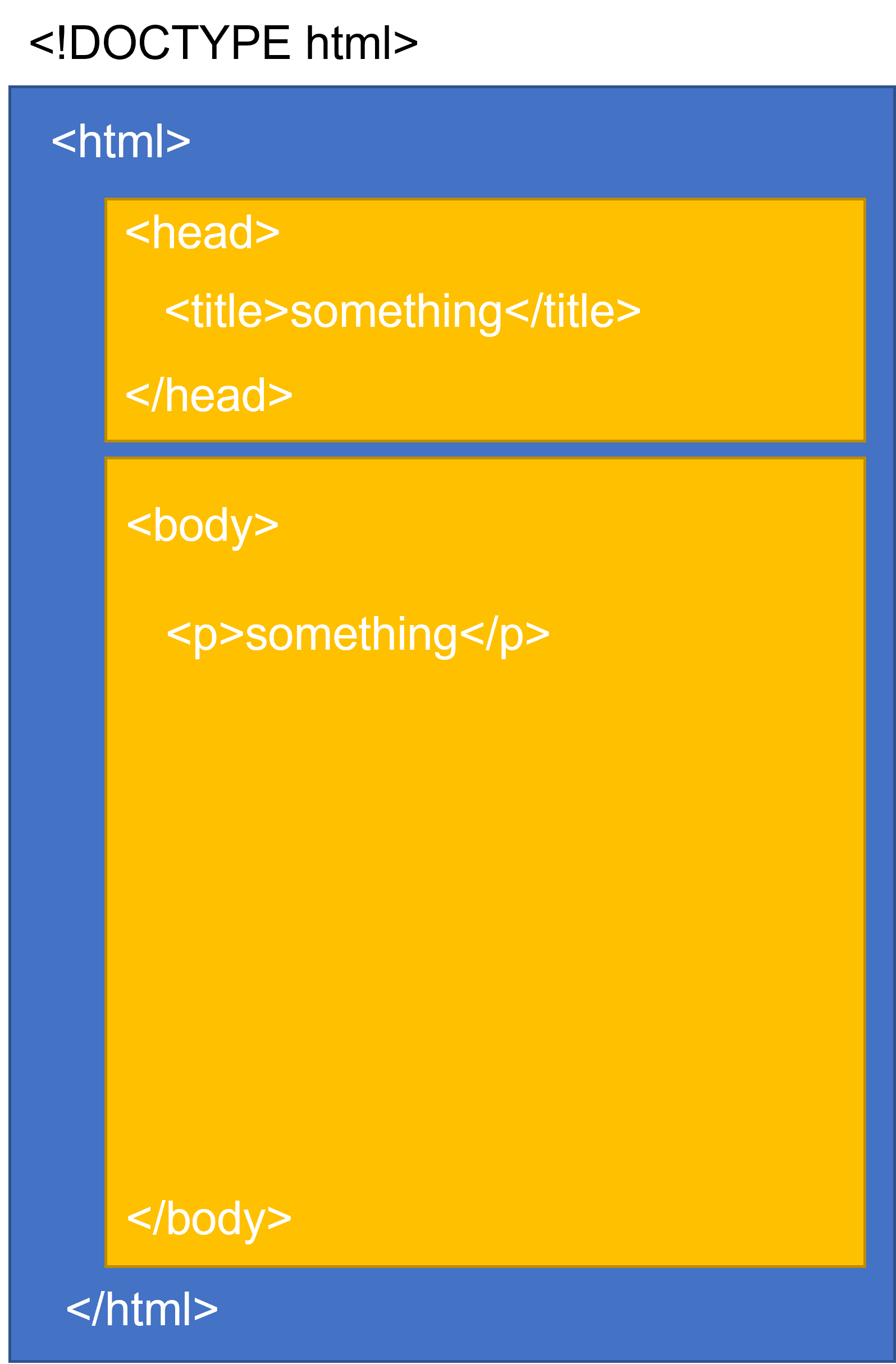
HyperText Document structure
In it's simplest framing, a web page is like three envelopes, a large one that has inside it two smaller envelopes.
So the structure should look like
DOCTYPES <!DOCTYPE html>
<!--
this is a comment about the DOCTYPE, the html version of which should be specified.
The DOCTYPE in the line above specifies the HTML5 type.
For more see https://www.w3schools.com/tags/tag_doctype.asp
-->
<html lang="en">
<!--
here the language attribute is specified as having English as its value.
For more see https://www.w3.org/International/questions/qa-lang-why
-->
<head>
<title>page title</title>
</head>
<body>
<p>a paragraph in the body of the page</p>
<!-- this is a comment -->
</body>
</html>
Although we can get away without putting end tags on elements (because many browsers are lax about it), we will adopt the habit of always closing any tag we open (unless it's an empty element) so that we are compliant with current and future standards.
We may wish to enhance the metadata in the <head>
<head>
<title>INLS161-001 Fall 2026 Information Tools | Sample Page</title>
<meta name="description" content="sample page for INLS161-001 Fall 2026 Information Tools">
<meta name="keywords" content="information literacy, information tools, information, tasks, hard coding">
<meta charset="UTF-8">
<link rel="stylesheet" href="notyet.sample-style.css">
</head>
Metadata typically define document title, styles, links, scripts, and other meta information.