Tools for Information Literacy ⑨ Document control
What is a "document markup language"?
First, what is a "markup language"?
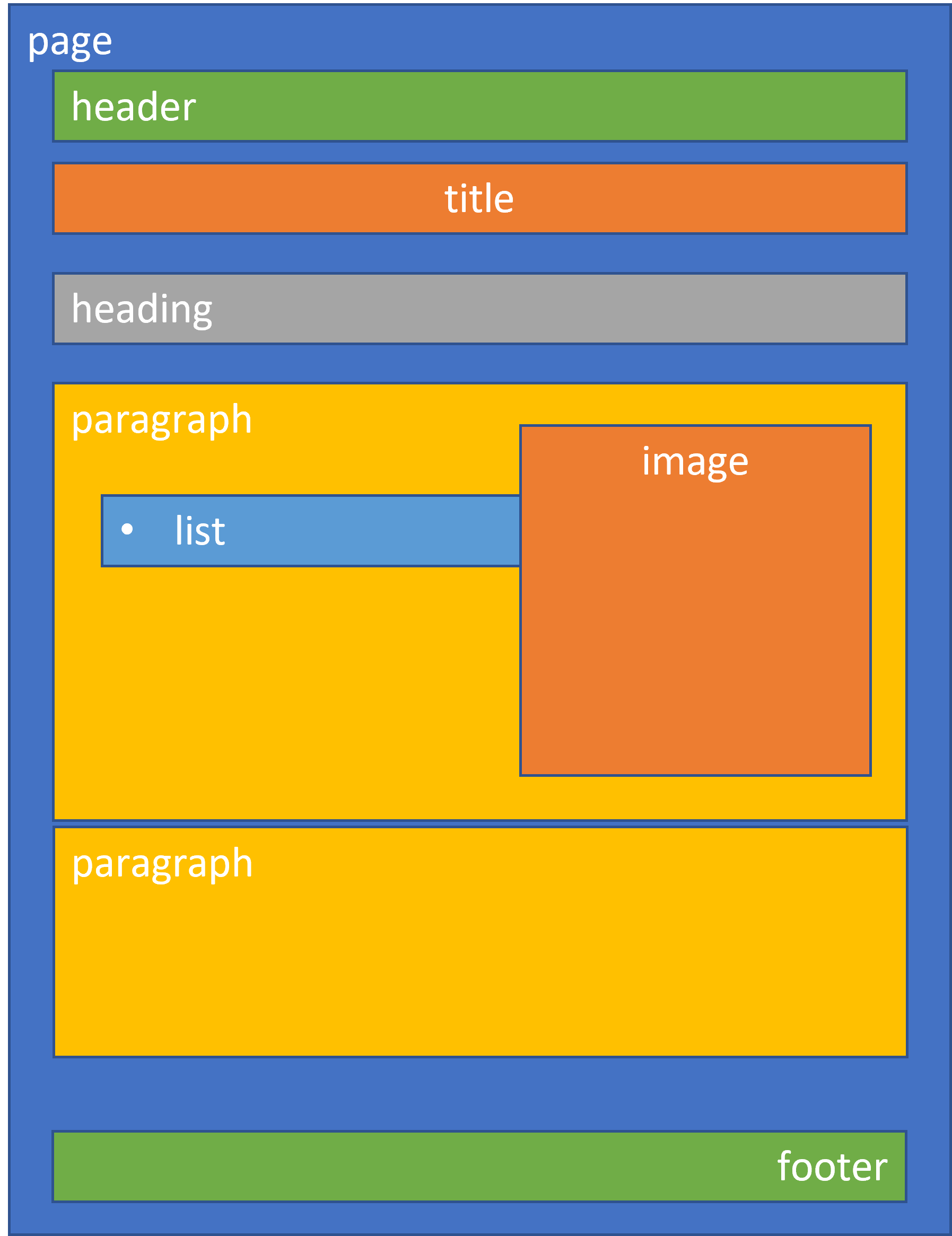
A markup language identifies pieces of a document so that another application can do something with those pieces. All document creation tools have a markup language.
Examples of markup languages
Markup has a long history. (This is dated, but still useful.) But one can understand markup by thinking about some markup languages that you are already familiar with.
HTML, the HyperText Markup Language, is an example of SGML - Standard Generalized Markup Language.
XML, the eXtensible Markup Language is much more robust, and Microsoft has embedded a lot of XML in MSWord
And some you may not have yet encountered
- A worldwide public domain effort to provide a computational framework for understanding human and other eukaryotic physiology. - Physiome Markup Languages - note the CellML and FieldML examples
- Archival Finding Aids Markup Language - Encoded Archival Description (EAD)
All formatters need to distinguish the text to be printed from instructions about how to print
these instructions are called markup.
- procedural markup tells the software what to do (space down, invoke a macro)
- generic markup describes the thing to be printed (heading, cross-reference, etc.).
Word Processing Markup Languages
WordStar was one of the earlier ones.
Since there was no graphical user interface at that time, it had to show you in text what it was doing with its markup, much as UNIX text editors do.
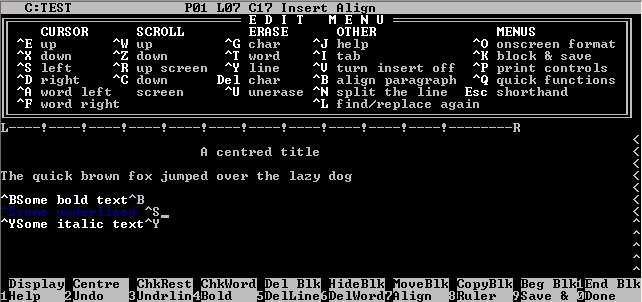
WordPerfect was very good for text-centric documents and was thus embraced by folks creating legal documents. The ability to see and control the text markup was critical.
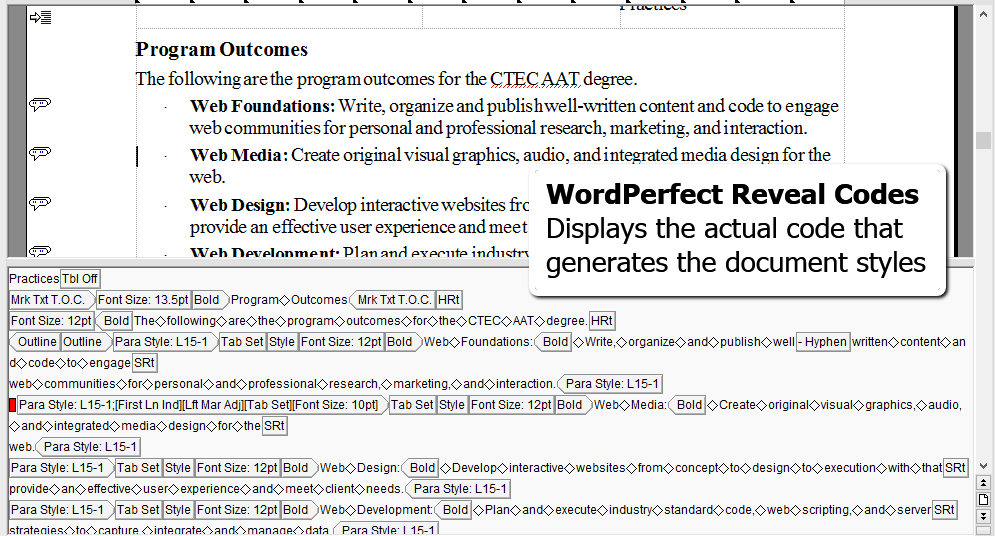
In early days of text processing, some markup tools used to let you see and edit their markup code. The following image shows an example of how WordPerfect showed you the markup in the text.
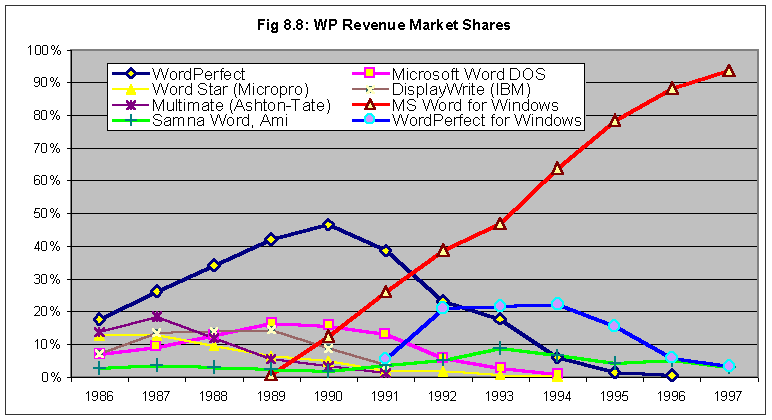
There have been a lot of markup tools brought to market over the years. But Microsoft's Word soon became the dominant markup tool [since the early 1990s].
There are a lot of possibilities out there. LibreOffice Writer may eventually become a competitor to MSWord because it is based on XML and on the Open Document standard. It has many of the same features as MSWord. It may well be the best choice for many.
Google Docs vs. Microsoft Word
Microsoft Word has many more features than Google Docs. If precision creation of documents is the need, then MS Word is the choice.
But, if you're doing only basic document creation, then Google Docs may be all you need.
Are MSWord, LibreOffice Writer, or Google Docs simply word processors? And what is the difference between a text editor and a word processor?
Are they something more? Perhaps an object manipulator?
MSWord is not the only tool out there, but it is a business standard.
You might not need to use MSWord and if that is the case, there are lots of alternatives. Consider your needs.
Compared to Google Docs, MSWord is a very powerful tool.