|
1
|
- Design and Evaluation Challenges
- 2004 Digital Library Colloquium Series
- University of Pittsburgh-Carnegie Mellon University
- April 16, 2004
|
|
2
|
- Interplay between basic research; system development and evaluation;
system operation and sustainability
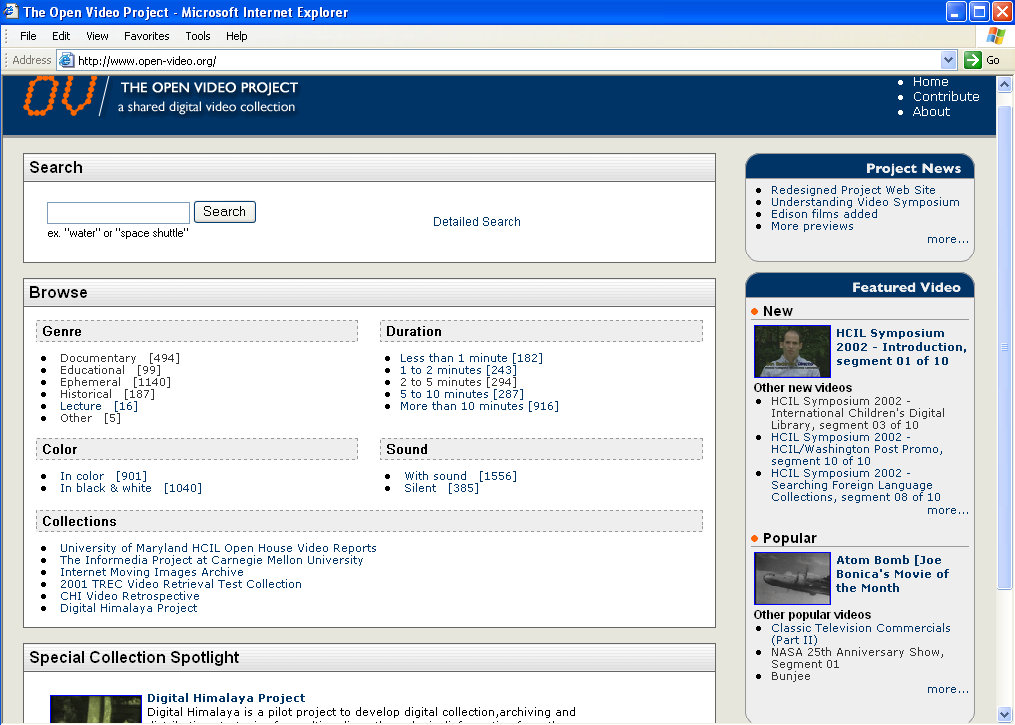
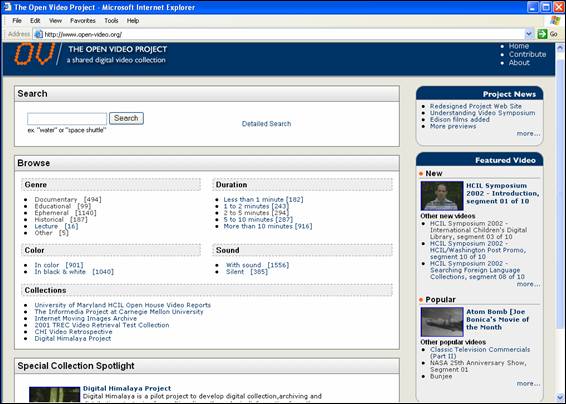
- Overview of Open Video DL as a system
- Focus on user studies that have informed redesign and future systems,
contributed to our understanding of how people make sense of video
|
|
3
|
- Digital video a burgeoning DL challenge
- Substantial activity on storage, retrieval
- Many large-scale DLs
- InforMedia, Fischlar, ECHO, Internet Archive Prelinger Collection, Open
Video
- Most attention on system/collection building
- Commercial attention on system and management
- IBM, MERL, Microsoft, Artesia, Virage
- NIST TREC Video Track for retrieval evaluation
- Crucial need for evaluation that includes human factors
|
|
4
|
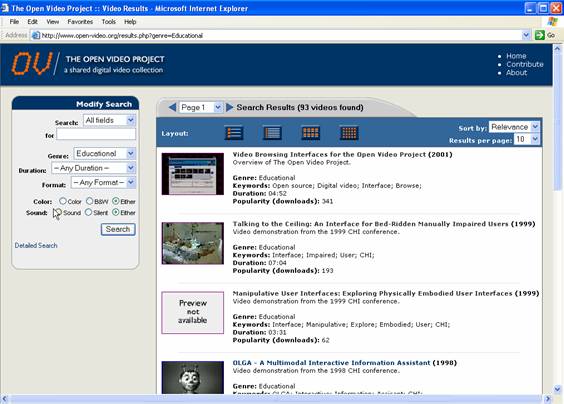
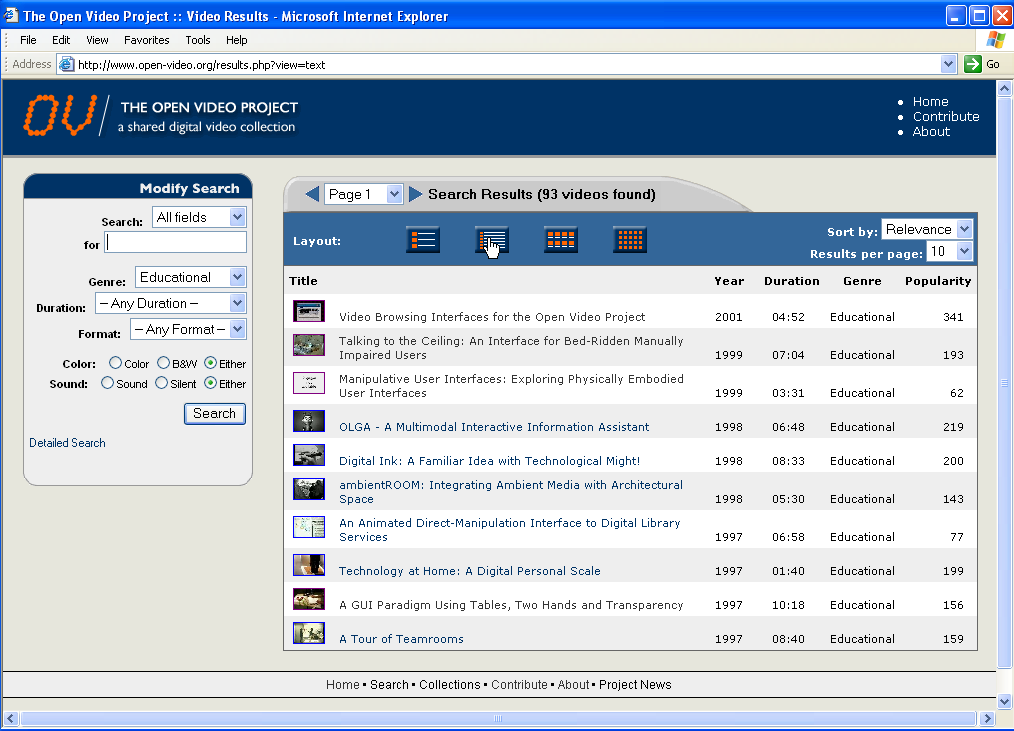
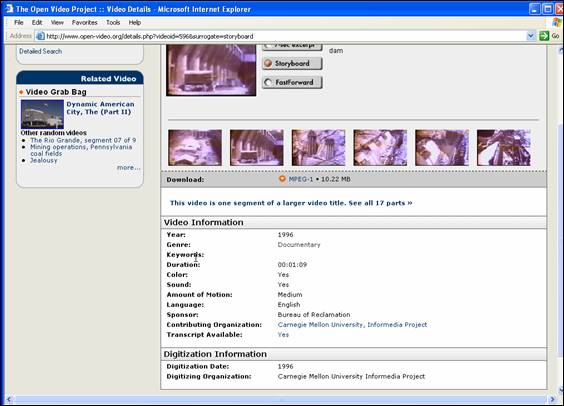
- An open repository of video files that can be re-used in a variety of
ways by the education and research communities
- Encourages contributions
- A testbed for interactive interfaces
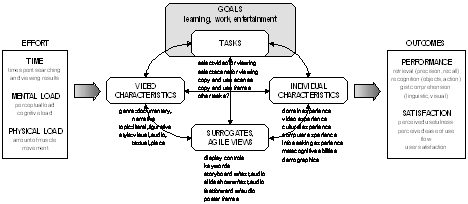
- An easy to use DL based upon the agile views interface design framework
- Multiple, cascading, easy to control views (pre, over, re, shared,
peripheral)
- Views based upon empirically validated surrogates
- An environment for building theory of human information interaction
- A set of methods and metrics that reveal how people understand digital
video through surrogates
|
|
5
|
- Begun 1995 with colleagues at UMD & BCPS
- Current funding: NSF# IIS-0099538
- Collaborators/Contributors: I2-DSI, ibiblio, CMU, UMD, NIST, Internet
Archive, NASA, CHI community
- ~2000+ video segments
- ~1400 different titles
- ~24000 unique visitors per month (March 04)
- ~3,000,000 hits/month (March 04)
- I2-DSI video channel
- MPEG-1, MPEG-2, MPEG-4, QT
- OAI provider
- Ongoing user studies
|
|
6
|
|
|
7
|
|
|
8
|
- Workstations, servers, disk arrays
- Tape players (VHS, Beta SP, PAL), digitization boards (e.g., Broadway),
and software for AVI/MOV to MPEG-1, MPEG-2, and QuickTime (Media
Cleaner, Adobe Premier, Final Cut Pro)
- Bandwidth (UNC-CH switched ethernet)
- Linux OS, PHP scripting language, MySQL DBMS, Apache server
|
|
9
|
- Merit (UMCP UMIACS), ported to Linux to extract candidate keyframes
- Speech to text (e.g., Sphinx at CMU)
- VAST keyframe/posterframe extraction, selection, and management
- Transaction logs and scripts (for evaluation and for recommenders)
- Peer to peer exchange
- ISEE (shared remote video use, e.g., DE)
- Indexer workstation (VIVO)
|
|
10
|
- Database driven web pages for user interaction
- Usability workstation (multiple camera, mixer, VCR)
- eye tracking system
- Speech synthesis (for audio keywords)
- Java and Perl scripts for managing, moving files, managing server
(security, upgrades, etc.)
|
|
11
|
|
|
12
|
|
|
13
|
|
|
14
|
|
|
15
|
|
|
16
|
|
|
17
|
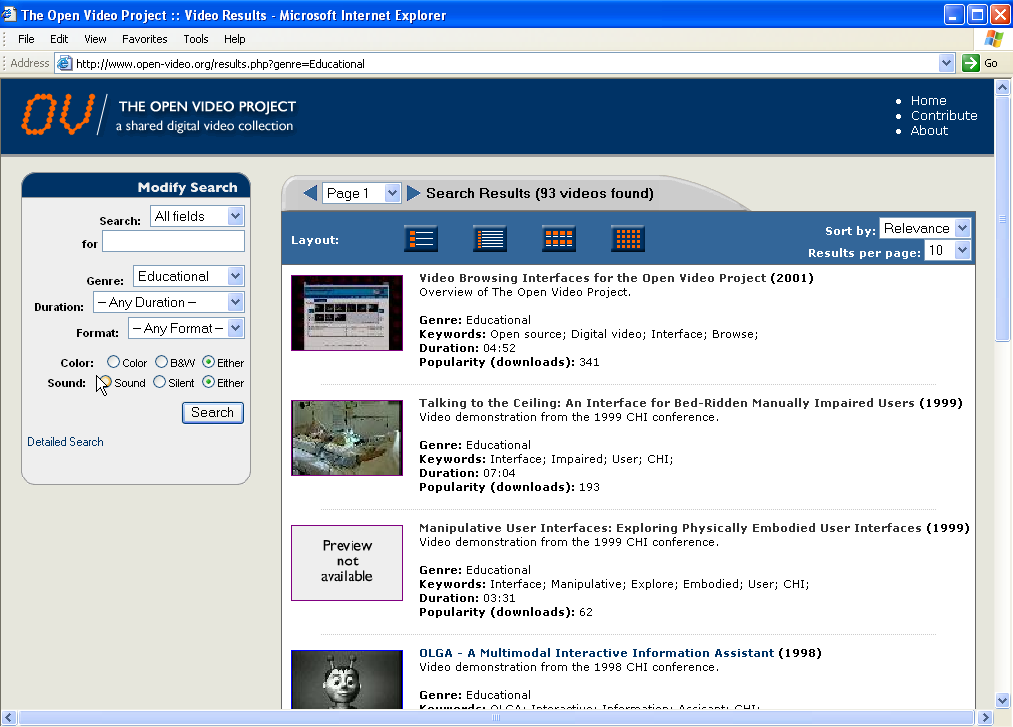
- Provide a variety of access representations (e.g., indexes) and control
mechanisms
- Usual search and browse capabilities
- Leverage both visual and linguistic cues
- Create and test surrogates for overview preview, shared and history
views
|
|
18
|
- Classes
- Cost benefit analysis: maximize ‘meaning’ per unit time
- Transmission time
- Compaction rate
- Cognitive processing time
- Performance vs. Preference
|
|
19
|
|
|
20
|
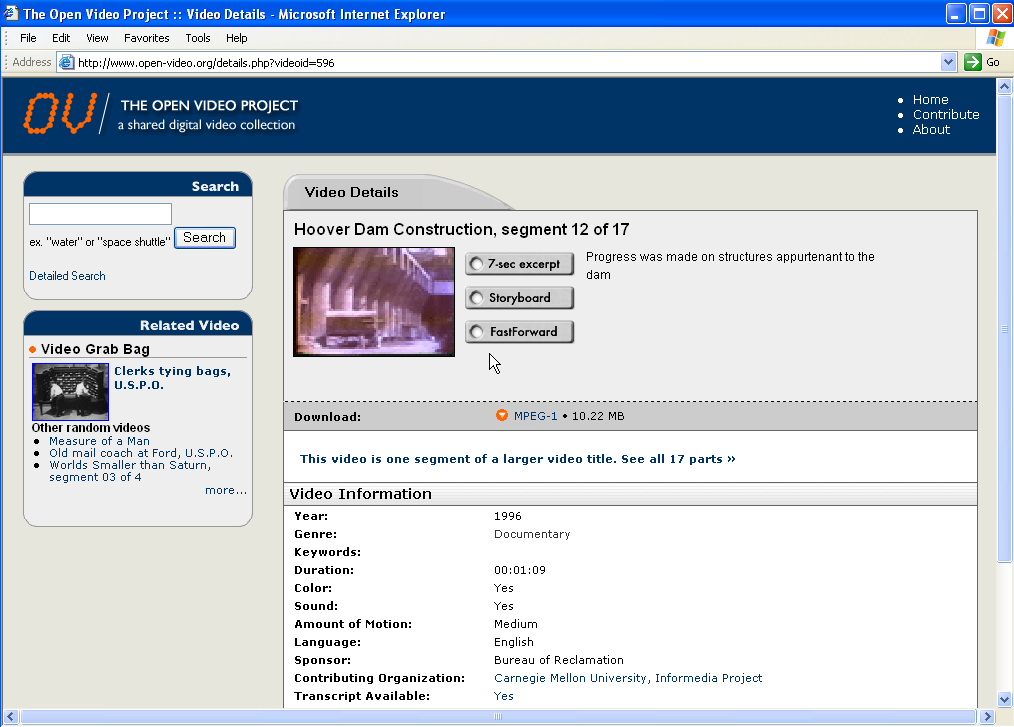
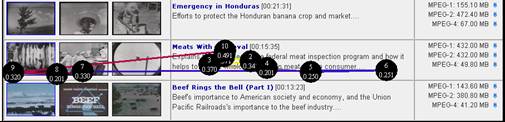
- Storyboard with text keywords (20-36 per board@ 500 ms)
- Storyboard with audio keywords
- Slide show with text keywords (250ms repeated once)
- Slide show with audio keywords
- Fast forwards 32X, 64X, 128X, 256X
- Poster frames (1-3)
- Real time clips/excerpts (7 sec)
- Text
- Visual features (e.g., in/out, people, etc.)
|
|
21
|
|
|
22
|
|
|
23
|
- Qualitative Comparison of Surrogates (Spring 02, ECDL 02)
- Fast Forwards (Fall 02, JCDL 03)
- Text or Pictures (Spring 03, CIVR 03)
- Narrativity (CHI 02, ASIST 03)
- Shared views and History Views (Geisler dissertation)
- TREC evaluation (Spring/summer 03)
- ViSOR (Gruss Master’s paper)
- Look vs Read (Hughes Master’s paper)
- Current studies
|
|
24
|
- What are the strengths and weaknesses of different surrogates from the
users’ perspective?
- Are any of the surrogates better than the others in supporting user
performance?
|
|
25
|
- Storyboard with text keywords (20-36 per board@ 500 ms)
- Storyboard with audio keywords
- Slide show with text keywords (250ms repeated once)
- Slide show with audio keywords
- Fast forward (~ 4X)
|
|
26
|
- 7 video segments (2-10 min), 5 surrogates created for each
- 10 subjects with high video and computer experience
- Three phases (all multi-camera videotaped)
- View full video then use 3 surrogates, repeat
- Participant observation and debriefing
- Do NOT view full video, use 3 surrogates, repeat
- Participant observation and debriefing
- Complete 3 assigned tasks with surrogates of choice
- Think aloud and debriefing
|
|
27
|
- Gist determination—free text
- Gist determination—multiple choice
- Object recognition—textual
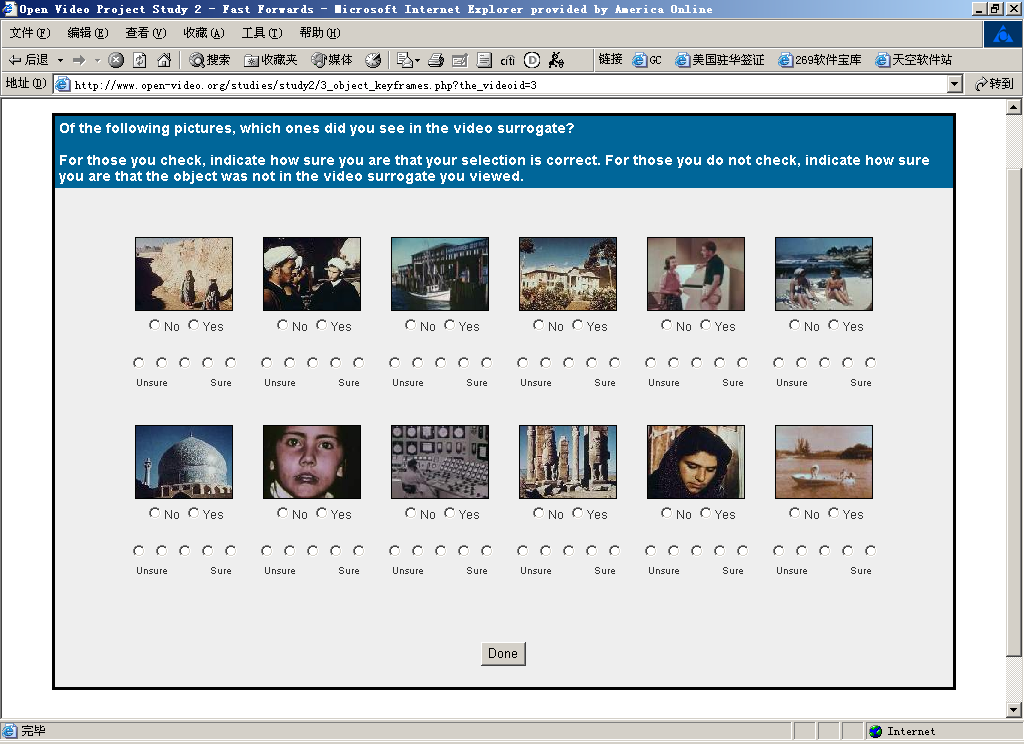
- Object recognition—graphical
- Action recognition (2-3 second clips)
- Visual gist (predict which frames belong)
|
|
28
|
- No SRD on gist (both free text and multiple choice)
- SRD on action recognition favoring ff
- ‘Near’ SRD on text object recognition favoring SB/w audio keywords
- 4:1 to 29:1 compaction rates suitable for tasks
- Psychometric and face validity support for the tasks (means and
variances; relevant to real tasks)
- SRD in gist and visual gist for one video
- àHomogeneity of frames
diminishes surrogate value
- àKeywords help when
visual variability decreases
|
|
29
|
- Subjects suggested different surrogates for different tasks (e.g., ff
for judging kid safe, sb for identifying images, ff for video styles)
- Three senses of gist
- Topic (T)
- Narrativity (N)
- T+N+visual style
- Individual preferences and experiences influence surrogate effectiveness
|
|
30
|
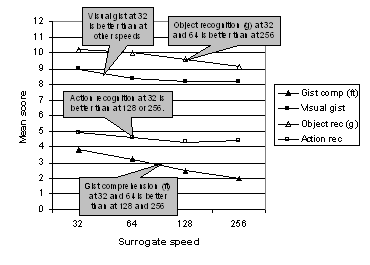
- How fast can we make fast forwards?
- 4 ff conditions (32X, 64X, 128X, 256X)
- Four video segments for each condition
- 45 subjects (1/2 UG, 1/2 grad, 2/3 female)
- 6 tasks (full text gist, multiple choice gist, word object recognition,
graphical object recognition, action recognition, visual gist)
- Counterbalance speed and videos
- Web-driven experimental condition, 3-camera video tapes, single subject
at a time in usability laboratory
|
|
31
|
|
|
32
|
|
|
33
|
|
|
34
|
|
|
35
|
|
|
36
|
- SRD on 4 of 6 tasks as speed increases, however, reasonable performance
at even the highest rate
- Video content/genre interacts with performance
- Preference does not parallel performance (people can perform well under
extreme conditions but do not like/enjoy)
- No user characteristic differences (age, sex)
- àGive users control but
select appropriate defaults
- Caveat: controlled, independent focus on FF, likely a lower bound on
performance
|
|
37
|
|
|
38
|
- Research Questions:
- Given both textual and visual metadata; which surrogate will be utilized,
which surrogate will be preferred?
- Does the placement of the surrogates affect how they are used?
- Does the assigned task affect how surrogates are used?
- Does personal preference play a role in how surrogates are used?
|
|
39
|
- 12 undergraduate students (paid volunteers)
- Pre-Study questionnaire
- Demographics
- Visual vs. Verbal learning style (VVQ)
- 10 search problems
- Design 1 and 2
- 1 : text on left / visuals on right
- 2 : visuals on left / text on right
- Eyetracking
- Post-study questionnaire
|
|
40
|
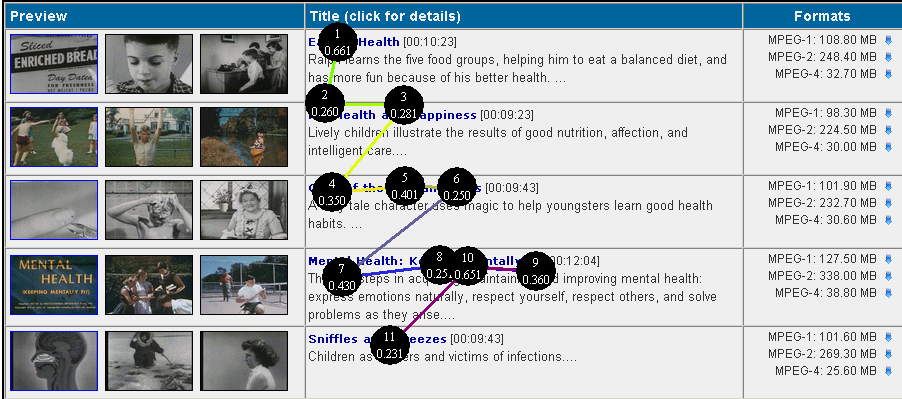
- All participants over all tasks:
- Mean time looking at text = 29.7 sec.
- Mean time looking at pics = 6.8 sec.
- 75% of fixations over text
- 18% of fixations over pics
- First fixations over text = 65
- First fixations over pics = 54
- Text requires and gets more user attention
|
|
41
|
- Design 1 vs. Design 2
- When text was placed on the left, mean time per fixation was slightly
higher
- VVQ
- Balanced group spent more time looking at text
- Tasks
- Varied by task:
- Time spent looking at text
- Time spent per fixation over text
- Frequency of fixations over text
|
|
42
|
|
|
43
|
|
|
44
|
|
|
45
|
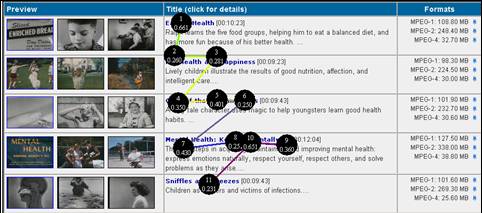
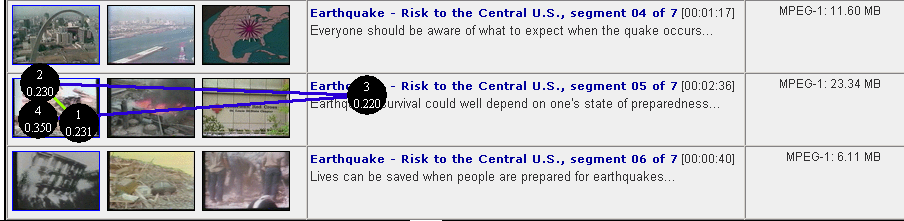
- Please find a video that discusses the destruction earthquakes can do to
buildings. These search results are from a search on the word
“Earthquake”.
- Please find a video that discusses nurses and their contributions to the
United States Army. These search
results are from a search on the word “Work”.
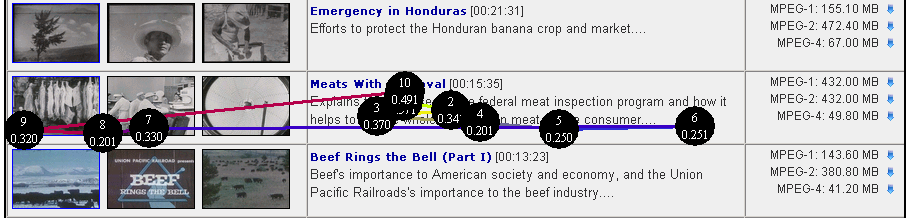
- Please choose a video from the following list that you think would be
entertainting for you and your friends to watch.
|
|
46
|
- In this restricted situation (i.e. pre-formulated results page)
participants used text as the main anchor point
- ? Because text is a better surrogate?
- ? Because text contains more information?
- ? Because text is more familiar to people
- ? Because tasks directed users to text?
|
|
47
|
- Text was reported as:
- Being the search anchor
- Containing significant topical information
- Taking longer to read than pictures
- Visuals were reported as:
- Being globally liked
- Being used to quickly narrow down choices
- Taking less time to decode than text
- All participants said the results page would be weaker without them
- Often lacking in reference points
|
|
48
|
- Visual metadata was used to make (confirm???) relevance judgments
- Combination of visual & verbal stronger than one or the other
- Generalize with caution:
- Small number of study participants
- Specific set of search results pages
- Ten specific search tasks.
|
|
49
|
- CHI walk up kiosk, 20 people used
- 20 one-minute clips (half b&w, no audio) selected on 2 criteria:
contain characters, have cause/effect relations between scenes (5 in
each category)
- SRD on chars, cause, and interaction
|
|
50
|
- Evaluate AV Design Framework by instantiating and evaluating a design
- Shared (based on recommendations) and History Views (based on logs)
- Phase 1: compare OV to Views interface (28 participants). OV>accuracy; NSRD on time, but
learning effect; AV>navigation/efficiency; AV>satisfaction
- Phase 2: qualitative analysis of shared and history views
|
|
51
|
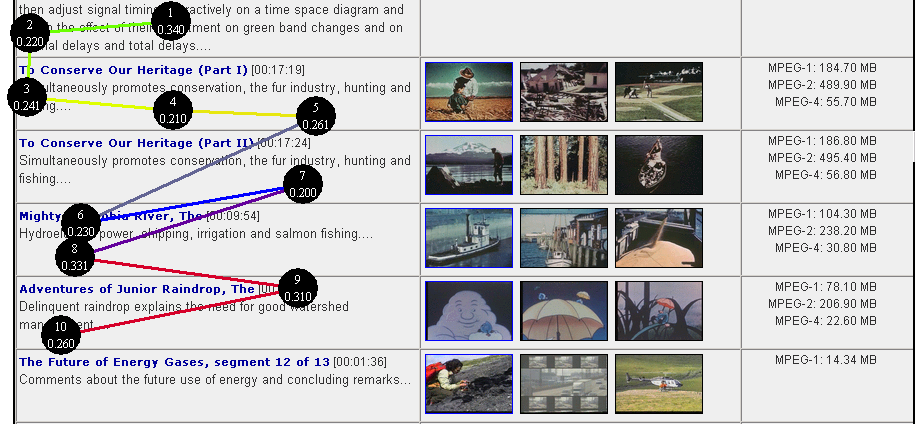
- Interface effects of automatically extracted features (TREC 02
features); 17 subjects each doing 14 search tasks
- Sliders to adjust weights of different features did not affect
performance
- Keywords, indoors/outdoors and cityscape/landscape most useful
- Use of color and brightness helped with exact match searches
- General satisfaction with using different features
|
|
52
|
- Twelve subjects think aloud while viewing results pages for five search
tasks with text (titles, descriptions) or visual (3 keyframes,
storyboard) surrogates
- Surrogates used differently depending on task; neither primary with
considerable switching and combining (e.g., find airplane, most used
visual first)
- Time a factor in deciding which to use and when
|
|
53
|
- Compare transcript only, feature only, and combined surrogates with 36
subjects
- NSRD in precision across 3 surrogates, transcript only and combined
yielded SR higher recall in less time and SR greater satisfaction
results.
|
|
54
|
- Relative value of surrogates in context
- Four sets of surrogates (ff, sb, excerpt, combined) compared (Spring 04)
- Mu dissertation: cognitive load effects on collaborative learning with
video (ISEE) Investigation of tasks
- Yang dissertation: how do people make relevance judgments about video?
|
|
55
|
- User studies inform good design
- Give people multiple views and easy control mechanisms
- No silver bullets (many factors determine performance and preference)
- Video offers new kinds of potentials for learning and communication
|
|
56
|
|

 Notes
Notes